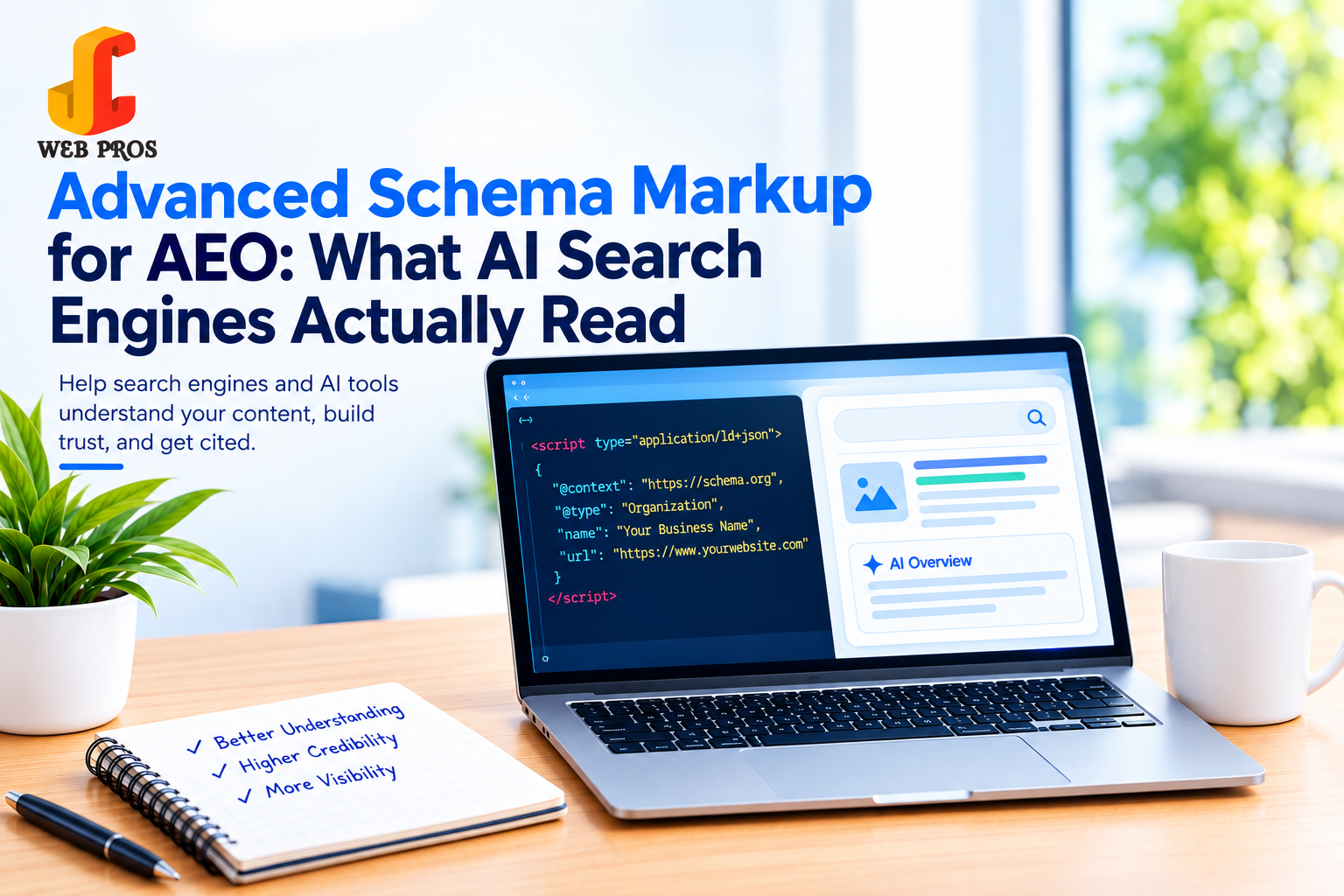
Schema markup is structured code that tells search engines and AI tools exactly what your content means, not just what it says. If you want ChatGPT, Gemini, Google AI Overviews, and Perplexity to find, understand, and cite your business, schema types like Organization, Person, LocalBusiness, FAQPage, Article, Product, Review, BreadcrumbList, Speakable, Service, VideoObject, SoftwareApplication, and ImageObject are the non-negotiable foundation, covering everything from core business identity to video, software, and image content most sites now handle but rarely mark up correctly.
Most businesses still think of schema markup as an “SEO extra,” something that might help you win a star rating in Google search results. That thinking is outdated.
The data backs this up: research from Backlinko found that roughly 72% of first-page Google results already use some form of schema markup, and Schema App’s analysis showed pages with schema markup see close to 40% higher click-through rates than pages without it. That’s before AI search even enters the picture.
In 2026, AI search engines don’t crawl your website the way a human reads it. They parse structured data to quickly understand who you are, what you offer, and whether you’re a trustworthy source worth quoting. A page without schema is like a resume with no headings. The information might all be there, but the reader (or in this case, the AI model) has to work much harder to extract it, and often won’t bother.
At JC Web Pros, structured data is one of the first things we implement in every AEO and AI SEO engagement. Here are the schema types we consider essential for AI visibility, updated to reflect Google’s May 2026 removal of FAQ rich results from standard search (more on that below), so you’re not implementing schema based on outdated guidance.
1. Organization Schema
This is the foundational block that tells search engines and AI models who your business actually is: your legal name, logo, website, social profiles, and contact details.
Without it, AI tools have to infer your identity from scattered mentions across the web, which increases the chance of getting your business confused with a similarly named competitor. Organization schema removes that ambiguity and is often the first signal AI engines use to build a “knowledge profile” of your brand.
What to include: Business name, logo URL, sameAs links to your verified social profiles, founding date, and contact information.
2. Person + ProfilePage Schema
If your business leans on named experts or founders, a “meet the team” page, author bylines on blog posts, a founder who’s the face of the brand, Person schema tells AI models who that individual is, separately from the Organization itself.
Pair Person schema with a dedicated ProfilePage for each key individual, linked back via the mainEntity property, and include a sameAs array pointing to their LinkedIn and other verified professional profiles. This combination directly feeds Google’s E-E-A-T (Experience, Expertise, Authoritativeness, Trustworthiness) signals and helps AI models attribute your content to a real, credible person rather than an anonymous brand. A Person schema without sameAs, or a ProfilePage without mainEntity, doesn’t fully “resolve” for AI systems implementing both pieces together, not separately.
What to include: name, jobTitle, worksFor (linked to your Organization schema), sameAs (LinkedIn and other verified profiles), and a mainEntityOfPage link from the ProfilePage back to this Person.
3. LocalBusiness Schema
If you serve customers in a specific city or region, LocalBusiness schema is what connects your website to your physical presence address, service area, hours of operation, and phone number.
This is critical for “near me” and voice search queries, and it’s one of the strongest signals local SEO and AI tools use to decide whether to surface your business in local map packs and AI-generated local recommendations.
What to include: NAP (Name, Address, Phone) data, geo-coordinates, business hours, and price range all matching exactly what’s listed on Google Business Profile and your citations.
4. FAQPage Schema
Important update: as of May 7, 2026, Google no longer displays FAQ rich results (the expandable Q&A dropdown) in standard search that followed years of narrowing eligibility that began in August 2023. If you’ve noticed FAQ snippets disappearing from your results, this is why, and it isn’t specific to your site.
That doesn’t mean the FAQPage schema is obsolete. Google has confirmed the markup remains valid and continues to be parsed for content understanding; it simply no longer earns a visible SERP feature for most sites. More importantly for AEO, FAQ schema is still actively read by AI crawlers like PerplexityBot and other retrieval systems, and a clearly marked-up Q&A section remains one of the most quotable formats for AI Overviews and chatbot answers, since each pair is a self-contained, extractable fact.
Bottom line: keep using FAQPage schema for genuine on-page FAQ content, just don’t implement it expecting a Google rich-result snippet anymore. Its value today is AI comprehension and citation, not SERP real estate.
What to include: Real questions your customers actually ask, paired with concise, direct answers (2–4 sentences works best) and only for Q&A content that’s genuinely visible on the page, per Google’s structured data guidelines.
5. Article/BlogPosting Schema
For every blog post and resource page, Article (or BlogPosting) schema tells AI engines the headline, author, publish date, last-modified date, and featured image of your content.
Freshness signals matter a lot here AI engines lean toward citing recently updated content, so keeping your dateModified field accurate whenever you revise a post can directly affect whether it gets pulled into an AI answer over a competitor’s older article.
What to include: Headline, author (ideally an Organization or Person with its own schema), datePublished, dateModified, and a clear image.
6. Product Schema
If you sell products physical or digital, Product schema communicates price, availability, and reviews directly to search engines and shopping-focused AI assistants.
This is what powers rich product results in Google and gives AI shopping tools the structured facts they need to compare your offering against competitors without having to guess pricing from body text.
What to include: Name, price, currency, availability status, and aggregate rating (if you have reviews).
7. Review/AggregateRating Schema
Trust signals matter enormously to AI models, which are trained to prioritize sources that show evidence of credibility. Review schema surfaces your star ratings and review counts directly in structured form.
This ties closely into Online Reputation Management, the more accurately your reviews are marked up, the more consistently AI tools will treat your business as a trusted, verified option worth recommending.
What to include: Aggregate rating, review count, and where possible, a sample of individual reviews with author and rating.
8. BreadcrumbList Schema
Breadcrumb schema shows the hierarchical path of a page within your site (Home > Services > SEO Services, for example). It seems minor, but it does two important jobs: it helps search engines understand your site architecture, and it gives AI tools context about how a page relates to the rest of your business.
What to include: Every page in the navigation path, in order, with proper URLs, not just the current page’s title.
9. Speakable Schema
Speakable schema flags specific paragraphs on a page, the lead sentence of a key section, as ideal for text-to-speech extraction. It started as a niche Google Assistant feature, but it’s become genuinely relevant again now that AI-generated audio overviews (NotebookLM-style summaries) have become a real content distribution channel.
What to include: A CSS selector or XPath pointing at 2–3 of your most concise, authoritative passages per page and the direct-answer sentence under each key heading. Don’t mark the whole page as speakable; be selective.
10. Service Schema
For agencies and service-based businesses like ours, Service schema defines exactly what you offer the service name, description, provider, and service area, separately from your general Organization data.
This distinction matters because it lets AI tools match specific queries (“who offers PPC management in Mohali”) to the exact service page that answers it, rather than just your generic homepage.
What to include: Service name, category, description, provider (linked to your Organization schema), and areaServed.
11. VideoObject Schema
For video content embedded on your pages, VideoObject schema tells AI engines what happens in the video without them needing to actually watch the title, description, thumbnail, duration, and upload date.
This matters increasingly as AI Overviews and answer engines pull video snippets and timestamps directly into responses; without markup, AI tools have to rely on the video’s file name and whatever surrounding text happens to be on the page.
What to include: name, description, thumbnailUrl, uploadDate, duration (in ISO 8601 format, e.g. PT4M32S), and contentUrl or embedUrl.
12. SoftwareApplication Schema
If your business sells or offers a piece of software, a SaaS product, mobile app, browser extension, or downloadable tool, SoftwareApplication schema gives AI models the structured facts they need to compare it against competitors: category, operating system, pricing, and rating.
This is especially relevant as AI assistants increasingly get asked to “recommend a tool for X.” SoftwareApplication schema is one of the clearest ways to be considered in that kind of query, since it puts pricing and category in a format the model doesn’t have to guess at.
What to include: name, applicationCategory, operatingSystem, offers (price and currency), and aggregateRating.
13. ImageObject Schema
Standalone ImageObject schema (separate from the image fields nested inside other schema types) gives AI models explicit metadata about specific images: who created them, what they depict, licensing terms, and where the full-resolution version lives.
This is growing in importance as multimodal AI models increasingly index and describe images directly, and as licensing and attribution become a bigger factor in whether AI tools are willing to reuse or display an image at all.
What to include: contentUrl, caption, creator, license, and acquireLicensePage (if applicable).
How to Actually Implement This on Your Site
Adding schema doesn’t have to mean writing code by hand:
- On WordPress, plugins like Rank Math, Yoast SEO, or Schema Pro can generate and insert most of these schema types automatically as you fill in your page details.
- On other platforms (Shopify, Wix, custom builds), check whether your theme or SEO app has built-in schema support first; if not, an online schema generator can produce ready-to-use JSON-LD code.
- Use JSON-LD, not microdata or RDFa. It’s Google’s recommended format because it lives as a single script block, separate from your visible HTML, making it far easier to maintain and update without breaking your page design.
- Once generated, the code goes in the <head> section of the relevant page; most CMS platforms have a “custom code” or “insert HTML” field for this.
How to Validate Your Schema Markup
Implementing schema incorrectly can do more harm than good, so always validate after publishing:
- Schema Markup Validator (schema.org) the official validator; paste a URL or code snippet to check for structural errors.
- Google Rich Results Test shows specifically whether your markup qualifies for any remaining rich results in Google Search.
- Google Search Console → Enhancements tab tracks errors and eligible-page counts for your structured data over time, sitewide.
- A full site audit catches schema errors across every page at once rather than one URL at a time (this is the kind of check we run as part of every JC Web Pros AEO engagement).
Common Mistakes to Avoid
- Using the wrong schema type for the content don’t apply Product schema to a blog post, or Service schema to your homepage.
- Leaving required fields blank, incomplete markup can be flagged as invalid or simply ignored.
- Content mismatch your schema must reflect what’s actually visible on the page. Marking up information that isn’t shown to users violates Google’s structured data guidelines and can trigger a manual action.
- Letting it go stale if you update a page’s content, pricing, or FAQs, update the schema to match. Outdated structured data creates the exact confusion this markup is supposed to prevent.
A worth-knowing caution: a controlled test run by an SEO researcher in February 2026 found that ChatGPT and Perplexity don’t semantically validate JSON-LD the way Google does in the test, both platforms pulled and repeated information that existed only inside invalid, fabricated schema code and nowhere in the page’s visible content. In other words, AI tools will read whatever your schema claims, even if it doesn’t match what a real visitor sees. That makes content-mismatch errors more than a technical slip-up; it’s a direct path to an AI engine confidently stating something false about your business.
Common Schema Errors We Find in Client Audits
A few patterns show up repeatedly when we run structured-data audits for new clients, before we ever touch their content:
- Duplicate schema blocks from an old theme or plugin that was never removed when a new SEO plugin was installed, both fire at once, and search engines often just ignore the page’s structured data entirely rather than guess which one is correct.
- Broken sameAs links pointing to old or misspelled social profile URLs, surprisingly common, and it quietly breaks the entity-verification chain AI models rely on.
- Schema copied from a template site that still references the template’s original business name or address in a hidden field.
- Missing dateModified on Article schema even after a page has been substantially rewritten, which signals staleness to AI engines even though the content itself is current.
If you’re not sure which of these apply to your site, that’s exactly what a structured-data audit is for.
Traditional SEO asked: “Can Google find and rank this page?” AEO and GEO ask a harder question: “Can an AI model understand this content well enough to trust it and quote it?”
Schema markup is the clearest, most direct way to answer that question in a format machines can act on instantly: no guessing, no misinterpretation, no missed context.
How JC Web Pros Can Help
Implementing every schema type correctly and keeping them free of markup errors takes more than a plugin toggle. It requires auditing your existing pages, mapping the right schema type to the right content, and validating everything against Google’s and Schema.org’s current standards.
At JC Web Pros, our AI SEO and AEO services include a full structured-data audit and implementation as part of every engagement, so your business shows up accurately and gets cited across Google, ChatGPT, Gemini, and every other AI-powered search experience your customers are using.
FAQs
No. Match the schema type to the content on each specific page, a blog post needs Article schema, a service page needs Service schema, a product demo video needs VideoObject schema, and Organization/LocalBusiness schema typically lives sitewide.
No single factor guarantees citation, but accurate, error-free schema markup significantly increases the odds by making your content easier for AI models to parse, trust, and quote correctly.
Use Google’s Rich Results Test or the Schema Markup Validator to check individual pages. A full-site audit (like the ones JC Web Pros runs) can catch errors across every page at once.
Yes, for AI visibility specifically. Google has stated the markup causes no harm and remains valid, it just won’t produce a visible Search feature anymore. Since AI crawlers and answer engines still read FAQPage markup to extract quotable Q&A content, it’s still worth using on pages where FAQ content is genuinely present.
Organization, LocalBusiness, Article, Product, and Review schema all still produce visible rich results in Google Search and remain strong AI citation signals — these should be your top priority alongside FAQPage for AI (not SERP) purposes. If your site has video, software, or standalone image content, VideoObject, SoftwareApplication, and ImageObject are the next layer worth adding.


Share This Post :