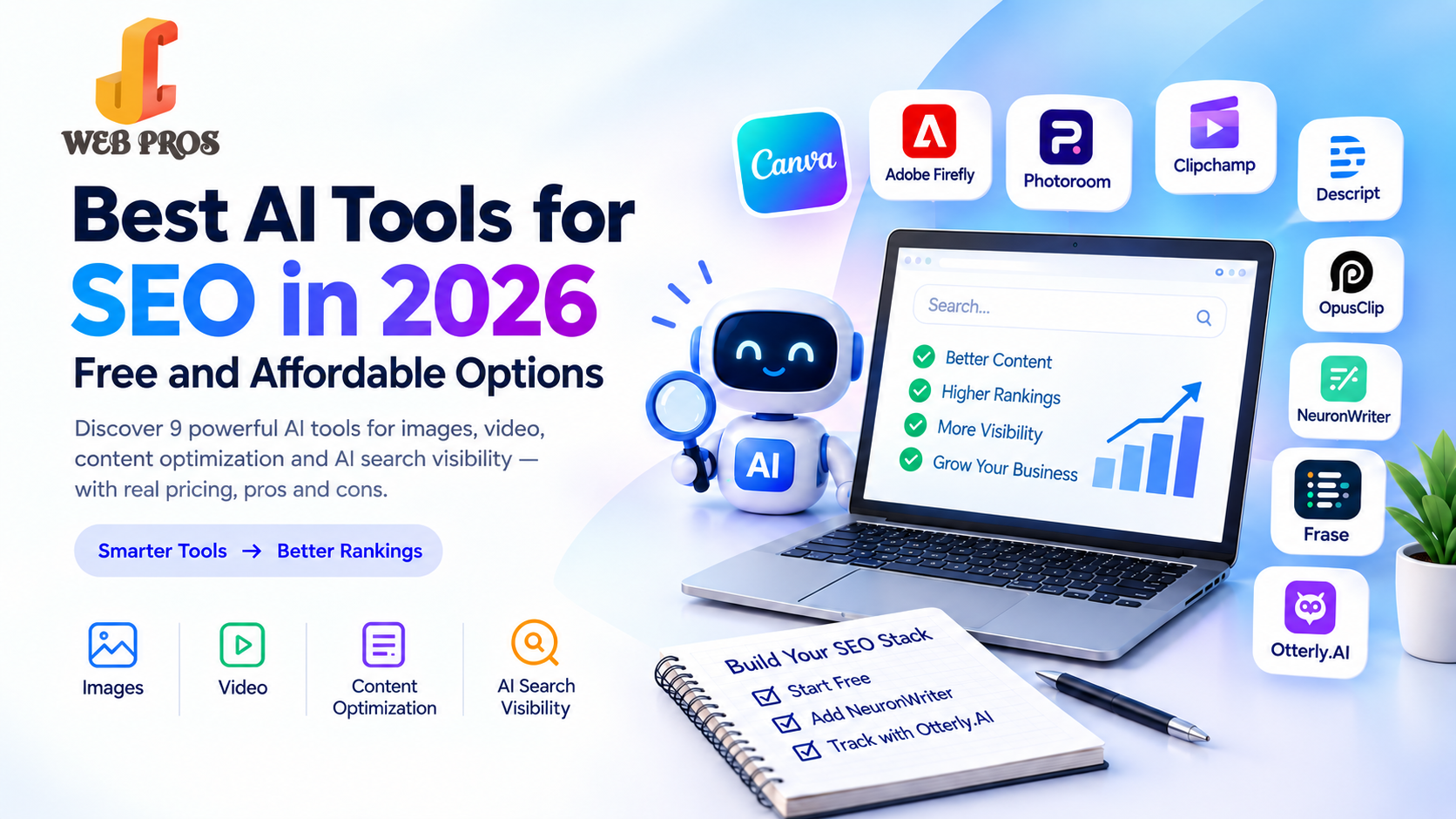
The best AI tools for SEO in 2026 don’t have to be expensive. This guide compares 9 free and affordable tools for images, video, content optimization, and AI search visibility, with real pricing, strengths, and limits. Start with free plans, add one content optimization tool such as NeuronWriter, and add an AI visibility tracker like Otterly.AI once you publish regularly.
You don’t need an expensive suite to rank in 2026. The best AI tools for SEO can be free or affordable, and this guide shows which ones are worth your time and money.
The problem is choice. Most SEO tools are built for big teams with big budgets, and there are hundreds to pick from. So the JC Web Pros team narrowed it down to the free and affordable ones.
In this guide, you’ll get:
- 9 tools with real 2026 pricing
- What each tool does best, and where it falls short
- Simple tool stacks for free, starter, and growth budgets
- Common mistakes to avoid when using AI for SEO
Quick Answer: The Best AI Tools for SEO on a Small Budget
If you want the short version, here are the tools worth looking at first, and what each one does best:
- Canva is the easiest all-round AI design tool, with a free plan and Pro at $15 per month.
- Adobe Firefly creates and edits images from text prompts, with paid plans from $9.99 per month.
- Photoroom removes backgrounds and cleans up product photos, with Pro from about $7.50 per month on annual billing.
Clipchamp
is a free, beginner-friendly video editor from Microsoft with AI captions and 1080p exports, with Premium at $11.99 per month.
- Descript edits video by editing text, with paid plans from $16 per month on annual billing.
- OpusClip turns long videos into short clips, with paid plans from $15 per month.
- NeuronWriter is the lowest-cost content optimization tool, starting at $23 per month.
- Frase combines content briefs with AI visibility tracking in one tool, starting at $49 per month.
- Otterly.AI tracks whether AI assistants mention your brand, starting at $29 per month.
If you only have time for one plan: start with the free tools, add one content optimization tool such as NeuronWriter, and add an AI visibility tracker once you are publishing regularly.
Why Small Businesses Need AI SEO Tools in 2026
AI is no longer a side experiment in SEO. In a HubSpot survey of more than 100 U.S. SEO professionals, 73% agreed that AI tools are becoming an important part of their company’s SEO strategy, and nearly 75% said they use AI mainly to save time.
Search behaviour is also changing shape:
- Queries are longer. The average AI Mode query is about three times longer than a traditional search query, so people ask full questions instead of typing two or three keywords.
- AI adds to search; it does not replace it. One 2026 analysis found search-related AI usage is about 28% of traditional search worldwide, while total search usage across search engines and AI assistants grew 26%. Google still handles an estimated 16.4 billion searches a day.
- Clicks are under pressure. Ahrefs found that pages ranking first get a much lower click-through rate when an AI Overview appears: about 34.5% lower in its April 2025 study, and up to 58% lower in its 2026 update. Being cited inside the AI answer now matters as much as ranking below it.
For a small business, this means two jobs: keep your classic SEO healthy, and make sure AI tools can find, understand, and quote your content. The right tools help with both, without hiring a full team.
How to Choose the Right AI Tool
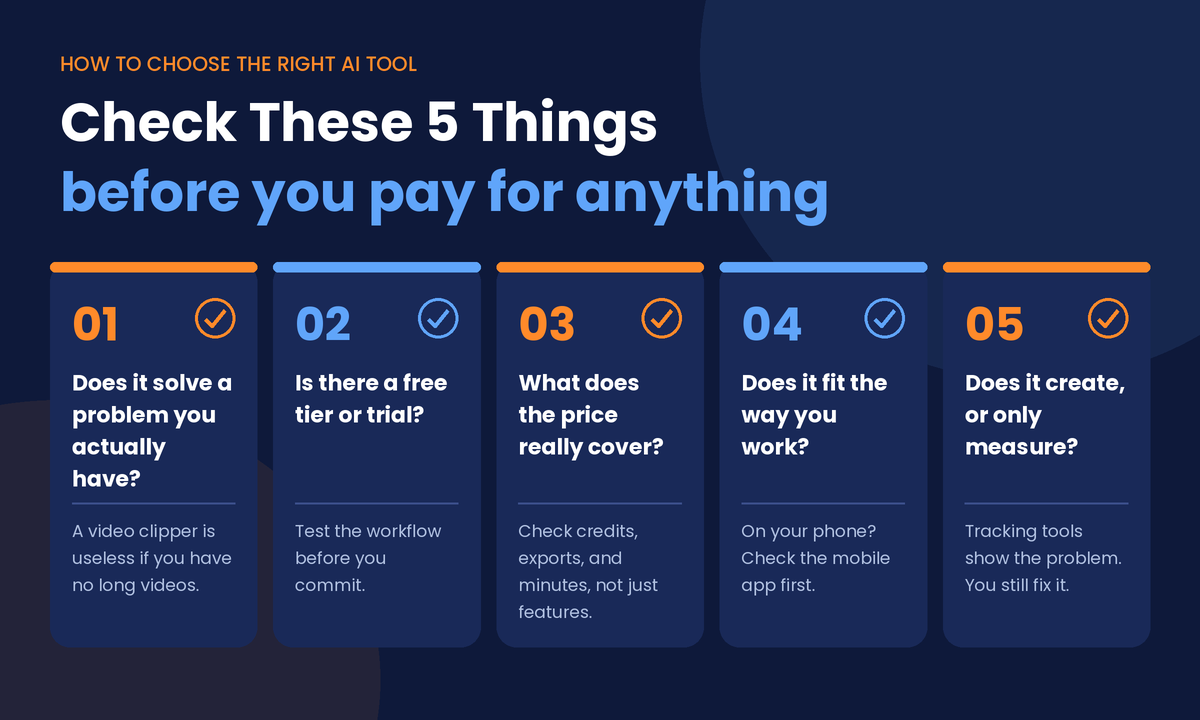
Before you pay for anything, check these five things:
- Does it solve a problem you actually have? A video clipper is useless if you have no long videos to clip.
- Is there a free tier or trial? Test the workflow before committing.
- What does the price really cover? Many tools limit credits, exports, or minutes, not features. A cheap plan can run out quickly.
- Does it fit the way you work? If you edit on your phone, check the mobile app before you subscribe.
- Does it create, or does it only measure? Creation tools make something for you. Tracking tools show you the problem, and you still need to fix it.
AI Image Tools
1. Canva (Magic Studio)
Best for: social graphics, thumbnails, and quick AI image edits without design skills.
Canva’s Magic Studio puts AI inside a design tool many small businesses already use. It can generate images from text, remove backgrounds, erase or expand parts of a photo, and resize a design for different platforms. The free plan includes a small AI allowance, and Pro adds a much larger one along with Brand Kit and premium assets.
Watch out for: AI credits are limited on every plan, and the image quality is good but not at the level of dedicated image generators.
Price: Free, with Pro at $15/month or $120/year.
2. Adobe Firefly
Best for: generating images from text and editing existing photos with AI.
Adobe Firefly creates images from prompts and edits photos with tools such as Generative Fill. Paid plans also include AI video generation and audio translation. Paid plans offer unlimited standard image features, while premium features such as video use monthly generative credits. Pro adds Photoshop on the web and mobile.
Watch out for: credits run out quickly if you generate a lot of video, and the cheaper Standard plan does not include Photoshop.
Price: Free with limited credits, Standard $9.99/month, Pro $19.99/month.
3. Photoroom
Best for: removing backgrounds and creating clean product photos.
Photoroom uses AI to remove backgrounds, retouch, expand, and restage photos, which makes it a strong pick for online sellers and small shops. Paid plans add a bigger AI credit allowance, batch exports, and higher-resolution output.
Watch out for: treat the free plan as a trial, since it has limited AI features and restrictions on commercial use. Its pricing has changed several times, so confirm the current plan on Photoroom’s site before you subscribe.
Price: Free, with Pro from $12.99/month, or about $7.50/month billed annually ($89.99 per year).
AI Video Tools
1. Clipchamp
Best for: free, beginner-friendly video editing in the browser, with AI captions and AI voiceovers.
Clipchamp is Microsoft’s online video editor, and it also works as a Windows app. The free plan includes trimming, templates, auto captions, AI text-to-speech in over 80 languages, and exports up to 1080p, which is enough for most everyday business videos. Premium adds 4K export, premium stock media, premium filters and effects, a brand kit, and content backup.
Watch out for: the free plan only includes basic stock media and effects, and a video that uses a premium feature will be exported with a watermark. Its AI tools are lighter than a tool like Descript, so it suits simple edits better than heavy AI workflows.
Price: Free, Premium $11.99/month or $119.99/year (about $10/month).
2. Descript
Best for: editing video and podcasts by editing the transcript, like a document.
Descript turns your recording into text, so deleting a sentence removes the matching video. It also removes filler words, cleans up audio with Studio Sound, and adds captions. Hobbyist bundles Studio Sound, filler-word removal, and Overdub voice cloning, while Creator and Business add 4K exports.
Watch out for: free exports are watermarked at 720p, and AI features use monthly credits, so heavy users may need Creator.
Price: Free, Hobbyist $16/month billed annually ($24 monthly), Creator $24/month billed annually ($35 monthly).
3. OpusClip
Best for: turning long videos, podcasts, and webinars into short vertical clips.
OpusClip finds the strongest moments in a long video and cuts them into short clips with captions. The free plan gives you 60 processing minutes per month with watermarked exports. Starter removes the watermark and adds an editor, and Pro adds AI B-roll and a social scheduler.
Watch out for: usage is counted in minutes of source video, so a weekly one-hour podcast can use up a Starter month. Free clips are watermarked and expire after three days.
Price: Free, Starter $15/month, Pro $29/month or $174/year (about $14.50/month).
AI Content Optimization Tools
1. NeuronWriter
Best for: the lowest-cost content optimization tool with real SERP analysis.
NeuronWriter analyses what already ranks for your keyword and tells you which terms and topics to cover. The Bronze plan costs $23 per month and includes 2 projects, 25 content analyses per month, and 15,000 AI credits. The Silver plan costs $45 per month with 5 projects and 50 analyses. A 7-day free trial is available, so check the site to see whether a free tier is currently offered.
Watch out for: the interface has a learning curve, and the analysis limits are monthly, so plan how many pages you will optimize.
Price: From $23/month.
2. Frase
Best for: turning research into a content brief and tracking AI visibility in one place.
Frase’s Starter plan costs $49 per month and includes 10 AI-optimized articles per month, AI visibility tracking on 2 platforms, 50 audit pages, and 1 domain. Higher plans are $129 and $299 per month. Frase has no permanent free plan, so use the trial if one is offered.
Watch out for: verify the sources Frase cites in any generated draft before publishing, and remember plans are limited by volume, not features.
Price: From $49/month.
AI Search Visibility Tools
1. Otterly.AI
Best for: finding out whether ChatGPT, Google AI Overviews, Perplexity, and Copilot mention your brand.
Otterly.AI’s Lite plan costs $29 per month for 15 tracked prompts, and annual billing brings it down to roughly $25 per month. Every plan tracks ChatGPT, Google AI Overviews, Perplexity, and Microsoft Copilot. Claude, Gemini, and Google AI Mode are paid add-ons. Each plan also includes GEO audits of your URLs and unlimited team members, and a free trial is available.
Watch out for: 15 prompts cover only a handful of questions, and the tool measures your visibility rather than improving it. Standard is $189 per month for 100 prompts, which is a big jump.
Price: From $29/month.
If you want a done-for-you version of this, JC Web Pros’ AI Brand Visibility Audit shows where your brand appears in AI answers and what to fix.
Example Tool Stacks by Budget
Not sure how to combine these tools? Here are four simple setups, from free to scaling up.
The free stack (about $0 per month). Use a free AI assistant such as ChatGPT, Gemini, or Claude, plus the free plans of Canva, CapCut, Photoroom, and OpusClip. This is enough to create posts, thumbnails, product photos, and short videos while you learn what works.
The starter stack (about $10 to $15 per month). Take the free stack and add Canva Pro ($120 per year, or $15 monthly) for a bigger AI allowance, Brand Kit, and premium assets.
The growth stack (about $58 to $67 per month). Take the starter stack and add NeuronWriter Bronze and Otterly.AI Lite. Now you are creating content, optimizing it, and tracking whether ChatGPT, Google AI Overviews, and Perplexity mention your brand.
The scaling stack (costs vary by tool). Move to Frase (from $49 per month), Descript Creator, or higher plans of the tools above once you are producing content at volume.
Costs are based on published monthly and annual prices in September 2026 and exclude tax and optional add-ons. Prices for Canva, CapCut, Photoroom, and Firefly can differ by region and app store.
Common Mistakes When Using AI Tools
- Publishing raw AI output. Google’s focus is on helpful, original content. Add your own experience, examples, and data.
- Trusting AI facts blindly. Always verify statistics, prices, and claims.
- Skipping a final human check. AI images can contain odd details or garbled text, and AI captions can misspell names. Review everything before you post.
- Buying tools before you have a workflow. A tool only saves time if you know what you are making and why. Start with one tool for one job.
- Ignoring AI search. Structure your pages so AI systems can quote them. Our guides on advanced schema markup for AEO and what Answer Engine Optimization is are a good place to start.
- Paying for tools you do not use. Review your subscriptions every quarter.


Share This Post :